Fusion Test
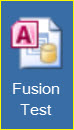
After logging into Windows on your computer, use the desktop icon to access the Fusion Test application.
The desktop icon is similar to this one:
|
The Fusion Test application may also be started in the browser by typing in the URL set up by your IT administrator.
You may save that URL as a favorite or bookmark in your browser and use it to start the Fusion Test application.

| This document contains confidential and proprietary information owned by the Rhodes Group, Inc. This Information may not be downloaded, copied, or transferred, in any medium, either in whole or in part, except as allowed by the Rhodes Group. Copyright 2017, Rhodes Group Inc. | |
| Version 6.0, Release 1
Reference Manual |
Prepared by Rhodes Group
September 2017 |